Rolling out These steps use the new HomecareOS screens, which are being switched on agency by agency. If your screens look different, call us on 01905 674704 and we will walk you through it.
Before you start
- Check the person, or whoever acts for them, has agreed to the family member having access.
Steps
Open the person's record
Go to People and open the person.
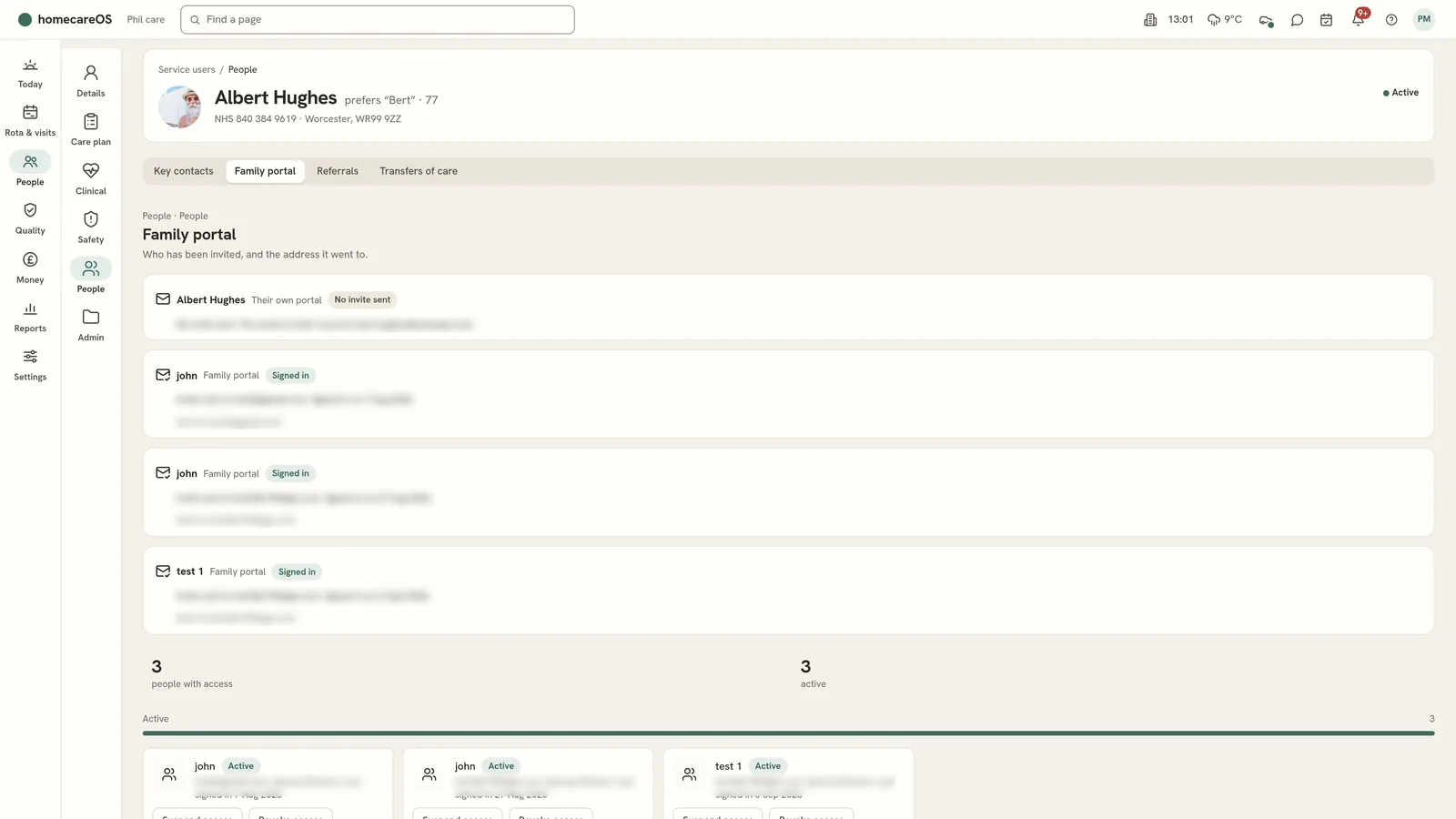
Choose People, then Family portal
It lists everyone who has been invited and the address the invite went to.
Enter the family member's details
Name, email and relationship.
Choose Send an invite
They get an email to set up their login.
Set what they can see
Each invite has its own permissions. Change them at any time.
Suspend or restore access
Use the buttons on their invite. Every change is kept on the record.
Good to know
- Families sign in at app.homecareos.co.uk/family/login.
Was this helpful?
Thank you. Glad it helped.
Sorry about that. Tell us what was missing and we will improve this guide.