Rolling out These steps use the new HomecareOS screens, which are being switched on agency by agency. If your screens look different, call us on 01905 674704 and we will walk you through it.
Before you start
- Your role must allow you to add people. If it does not, HomecareOS tells you who can.
- Have the address and how to get in to hand. The key safe code is only shown to carers behind a tap.
Steps
Open People
Choose People in the menu on the left, then the Service users tab.
Choose Add a person
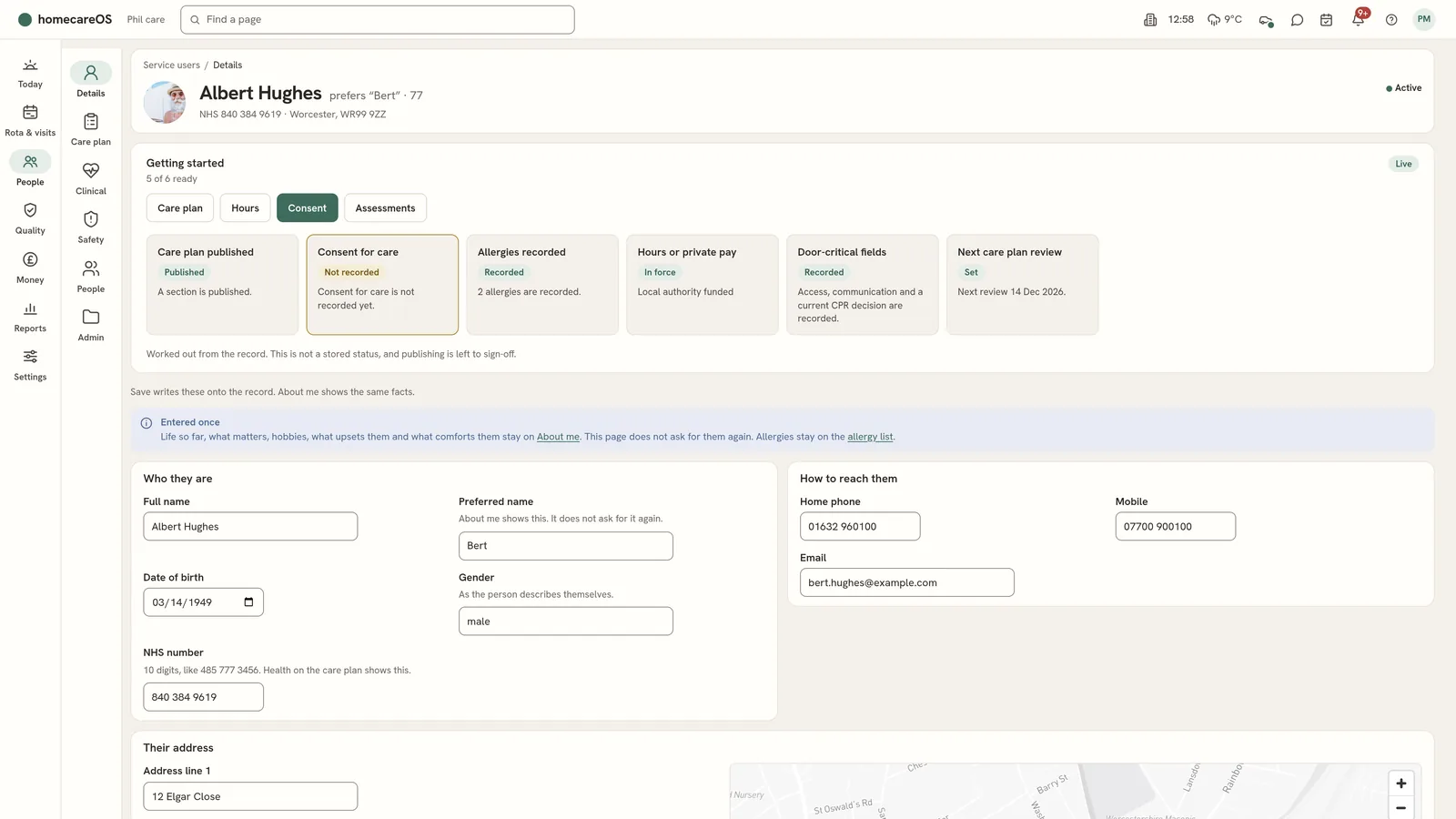
The form has five parts: Who they are, Where they live, Getting in, Their GP and Who pays.
Fill in who they are
Full name is required. Add their preferred name, date of birth and NHS number if you have them.
Add where they live
Enter the address and postcode. HomecareOS places their home on a map so travel between visits can be worked out.
Add how to get in
Write the access instructions and the key safe code. Carers see the code only when they tap to reveal it.
Save with Add this person
The person's record opens on Details.
Work through Getting started
The strip at the top shows what is ready and what is not: care plan published, consent for care, allergies, hours or private pay, door-critical fields and the next care plan review. Each check opens the place to fix it.
Good to know
- The person's record has six areas down the left: Details, Care plan, Clinical, Safety, People and Admin.
- If someone leaves your service, their record and its history are kept.
Further reading
Was this helpful?
Thank you. Glad it helped.
Sorry about that. Tell us what was missing and we will improve this guide.