Rolling out These steps use the new HomecareOS screens, which are being switched on agency by agency. If your screens look different, call us on 01905 674704 and we will walk you through it.
Before you start
- Add the person first. See Add a new service user.
Steps
Open Rota & visits
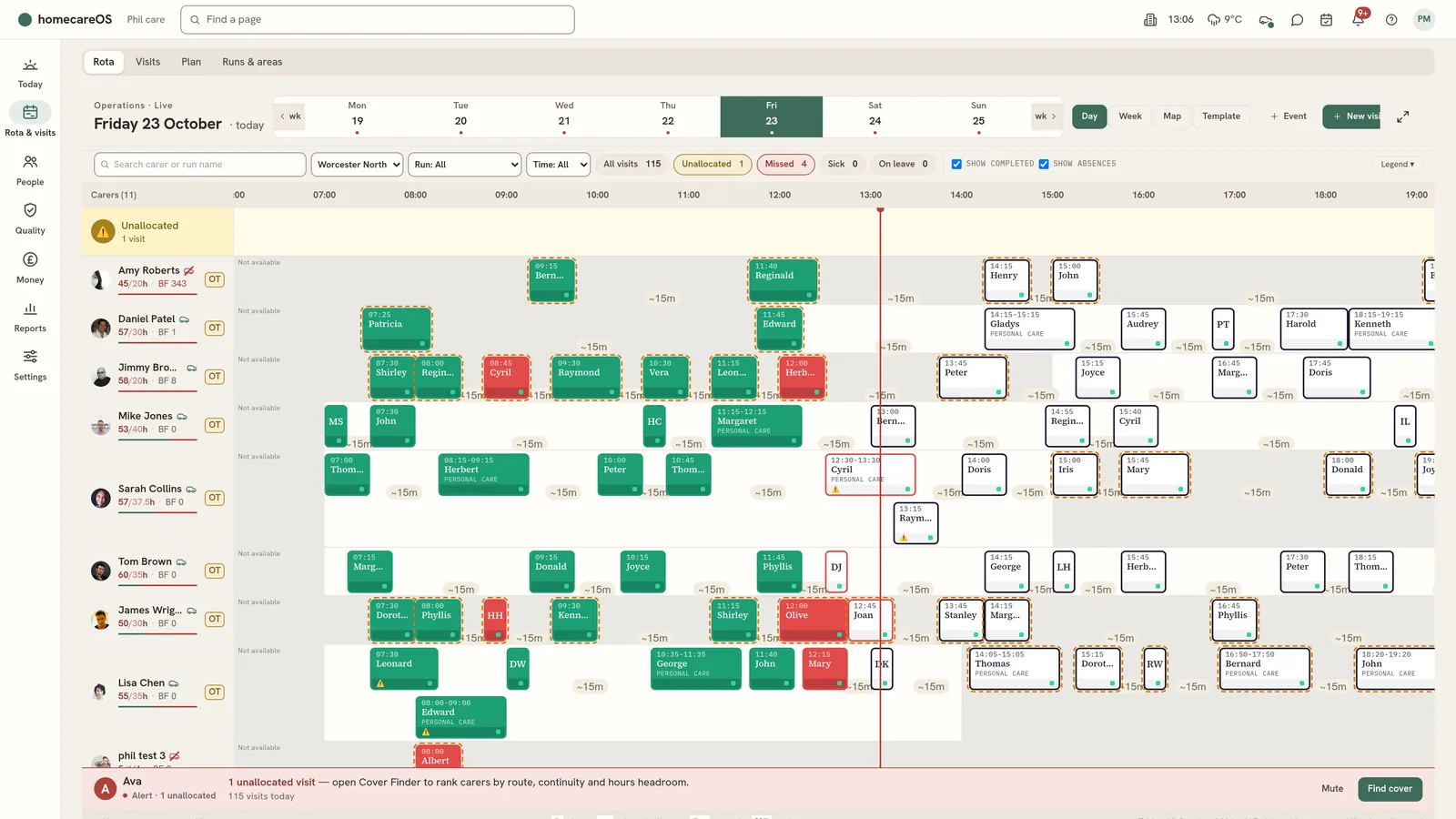
Choose Rota & visits in the menu. The tabs across the top are Rota, Visits, Plan and Runs & areas.
Choose Schedule a visit
On the Visits tab, choose Schedule a visit.
Fill in who and when
Choose who the visit is for, the date, the start time (UK time), the length and the kind of visit.
Book the carers
Add the carer, or carers for a double-up. Leave nobody chosen to put the visit on Needs cover.
Add notes and place
Write any notes for the carers. If the visit is not at their home, tick The visit is not at their home and enter the address.
Save
HomecareOS confirms the visit is scheduled, or tells you if there is something to check. The carers are told, and the new visit's card opens.
Check the rota
Open the Rota tab to see the day or week, with each carer's planned and actual times and their travel.
Good to know
- The Visits list and the Rota show whether a visit has reached the carer's phone.
- Carers are sent changes to their next 36 hours, even with the app closed.
Was this helpful?
Thank you. Glad it helped.
Sorry about that. Tell us what was missing and we will improve this guide.