Rolling out These steps use the new HomecareOS screens, which are being switched on agency by agency. If your screens look different, call us on 01905 674704 and we will walk you through it.
Before you start
- Add the person first. See Add a new service user.
Steps
Open the person's care plan
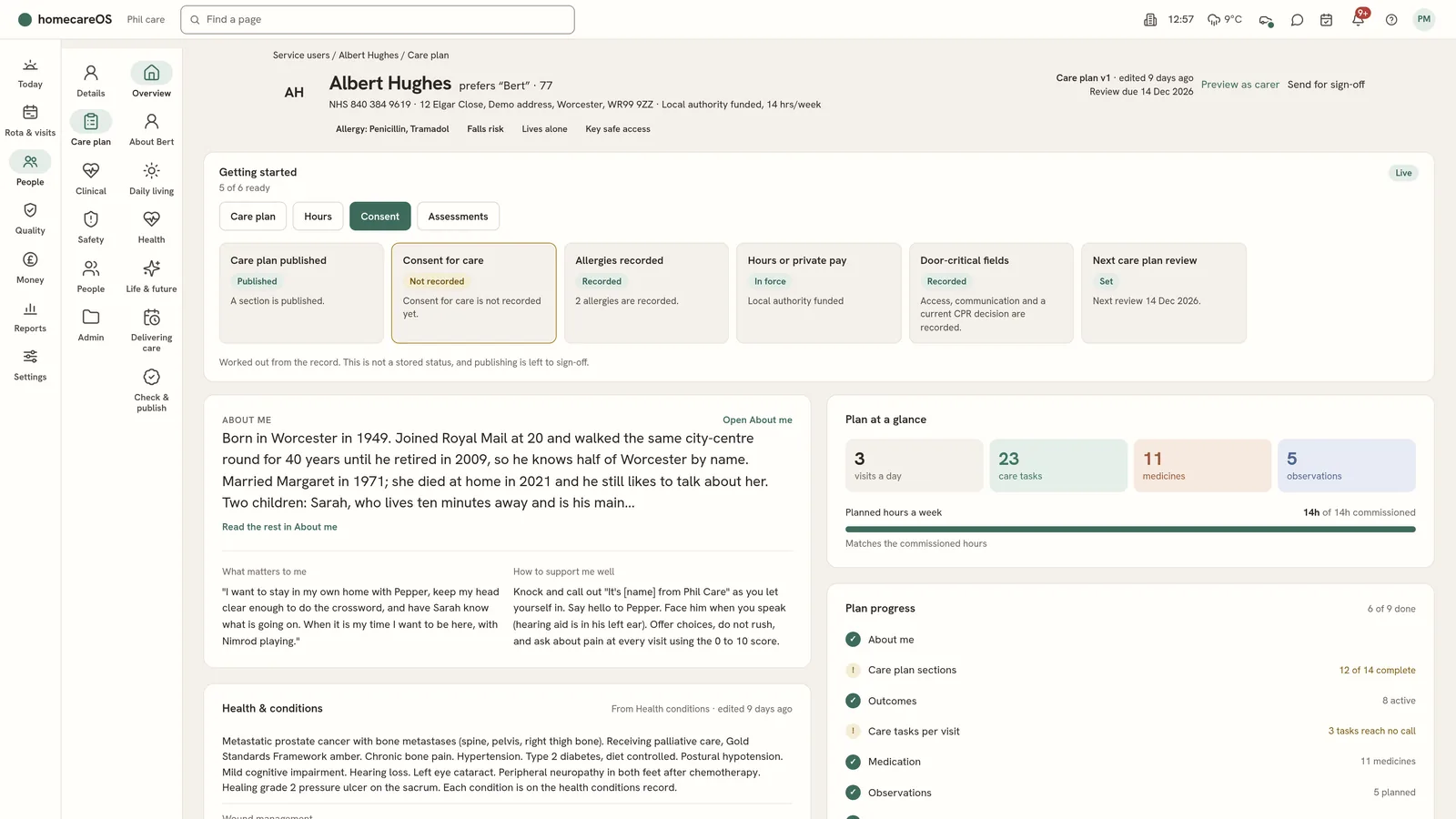
Go to People, open the person, then choose Care plan on the left. The plan's groups run across the top, with Overview first.
Start with About me
Write who they are, what matters to them and how they like to be supported, in their own words where you can.
Fill in each section
Each section has its own page. Many questions take a one-tap answer, with More detail when you need to write more. Sections you have changed are saved as drafts until you publish.
Add tasks and choose their visits
Open Tasks. For each task, choose which visits it belongs to and on which days. Future visits are brought into line from the date you choose.
Add observations and outcomes
Ask carers to record a reading, such as fluids or blood pressure, as a task on the visit. Add the outcomes the person wants, so progress can be written against them.
Score the risks
Score each risk, add the controls in place and set a date to check back.
Write what to do if a visit is late or missed
Under the carer view, record the person's contingency plan, so the office and carers know the plan B.
Review and publish
Open Check & publish, record the review and choose Publish. Publishing records the review, the dates and the draft sections together.
Good to know
- Use Preview as carer to see the plan the way a carer will.
- The Overview shows the review dates your nation's regulator expects.
- Starting a person's very first plan in the new screens is still being built. If the person has no plan yet, call us on 01905 674704 and we will get it started with you.
Further reading
Was this helpful?
Thank you. Glad it helped.
Sorry about that. Tell us what was missing and we will improve this guide.