A written plan
Before anything moves, we agree a written migration plan with you. You are not handed an importer and wished well.
One connected system for UK domiciliary agencies. A task on the care plan reaches the visit, a rota change reaches the carer, and a recorded dose reaches the chart. You stop being the join between five logins.
Tick any that sound like a Monday. This is not a test. It is a mirror, and it is allowed to be a bit rude about the software.
Tick any that sound like a Monday morning. We will tell you, kindly, what the pile adds up to.
HomecareOS is the care plan, the rota, the medicines and the phone in one place. Where something already happens on its own, it is listed here. Where it does not yet, it is marked.
This is the piece everything else hangs off. It is written in the person’s own words: what they can do, what they need, and how they want to be supported. Risks are identified on the plan so they can be reduced and the person kept safe. Sections follow the regulator you are registered with, CQC, the Care Inspectorate, CIW or RQIA.
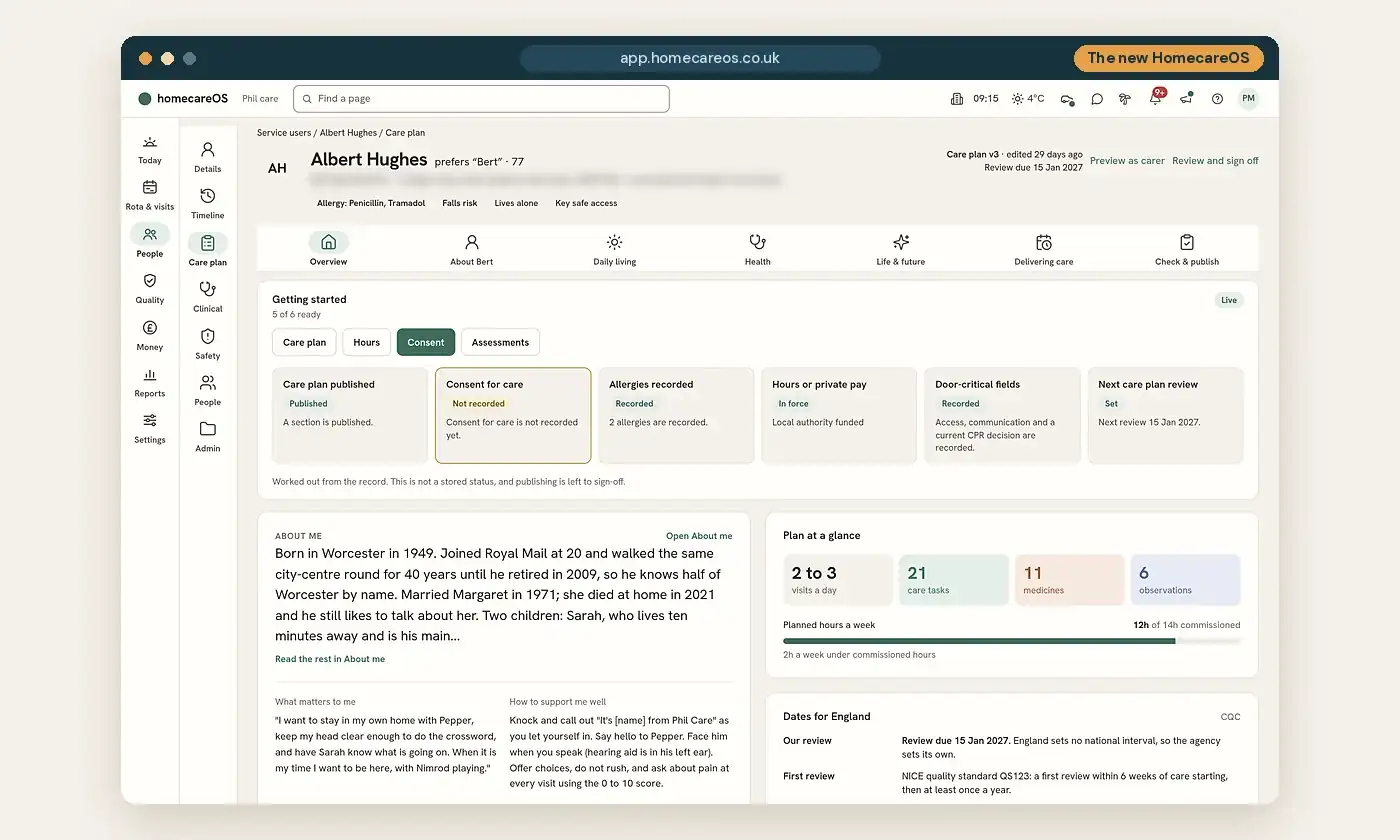
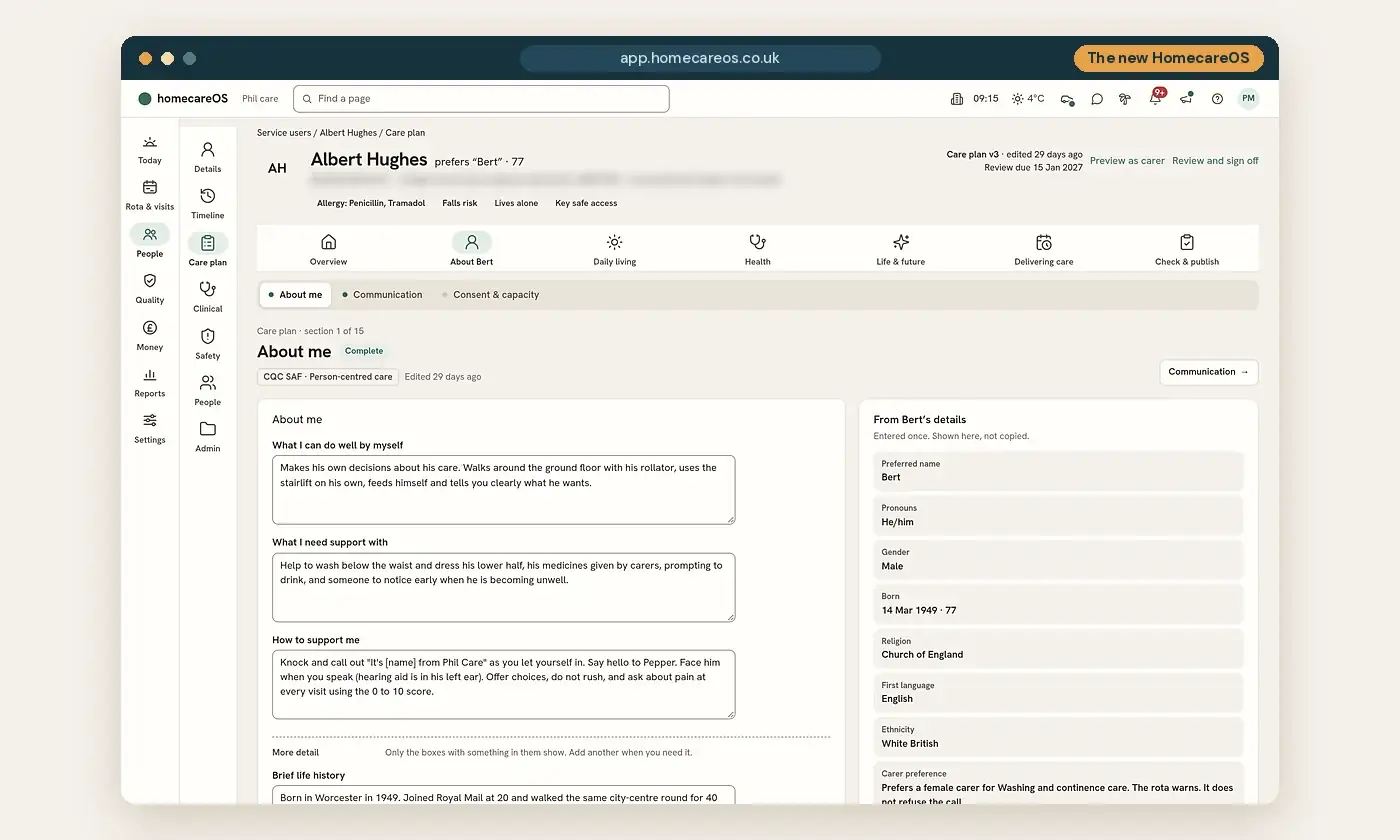
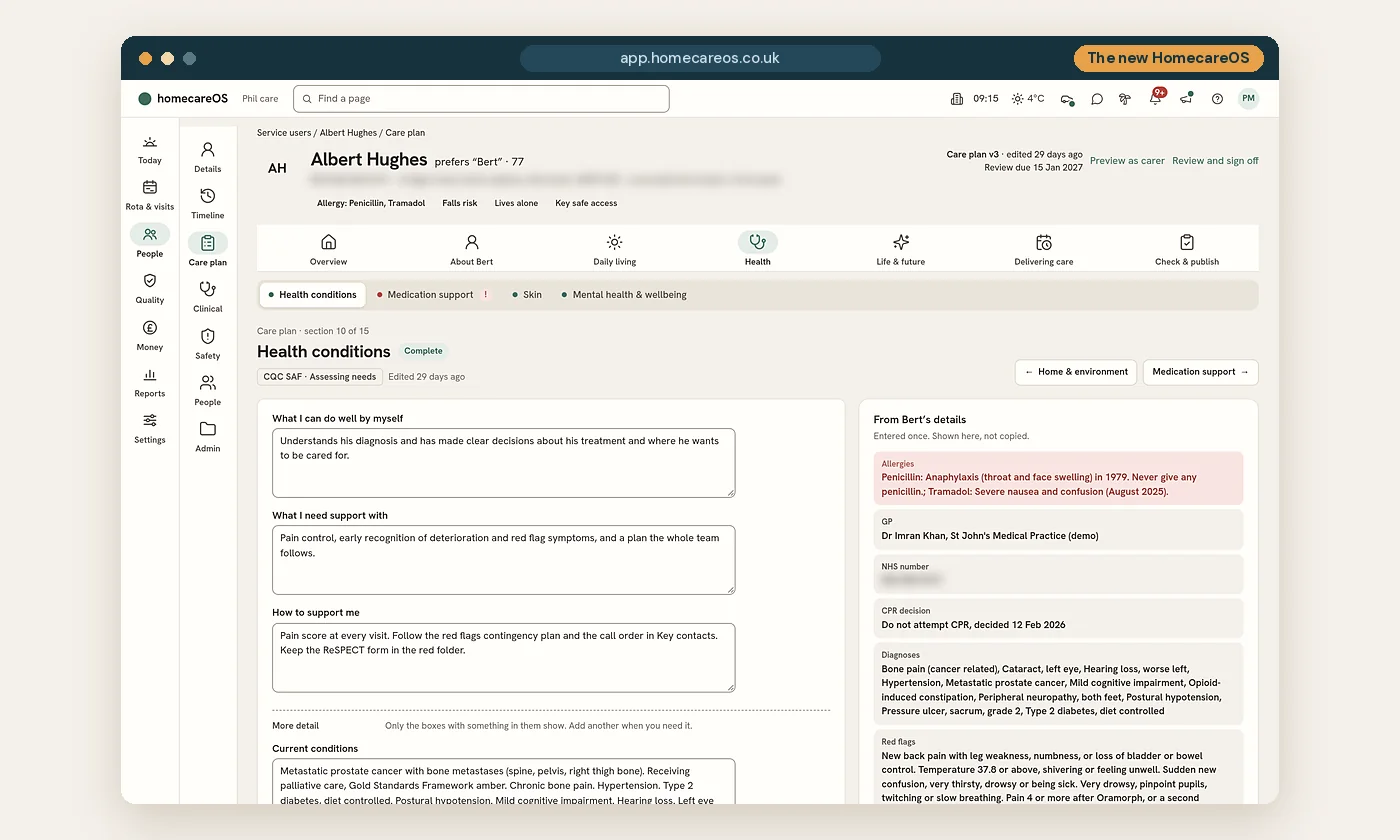
The task list is not retyped for each call. It comes from the care plan, filtered to the time of that visit. Step through it.
The task is written once, against the calls it belongs to. You can preview the visit as the carer will see it before you publish a change, so the doorstep is not the first time anyone reads it.
It arrives on those calls, and only those calls. A morning task does not turn up at tea. Medicines due inside the visit window come with it, with the person’s allergies on the same screen.
The carer completes the task, or skips it with a reason. A skip will not save without one. With no signal, the action waits on the phone. Thirteen actions on a visit do this, including tasks and medication, and send themselves when a connection returns.
What was done comes back on that visit: tasks, medicines, notes, clock times. The office is looking at the same record the carer just updated, not a second copy someone has to type in.
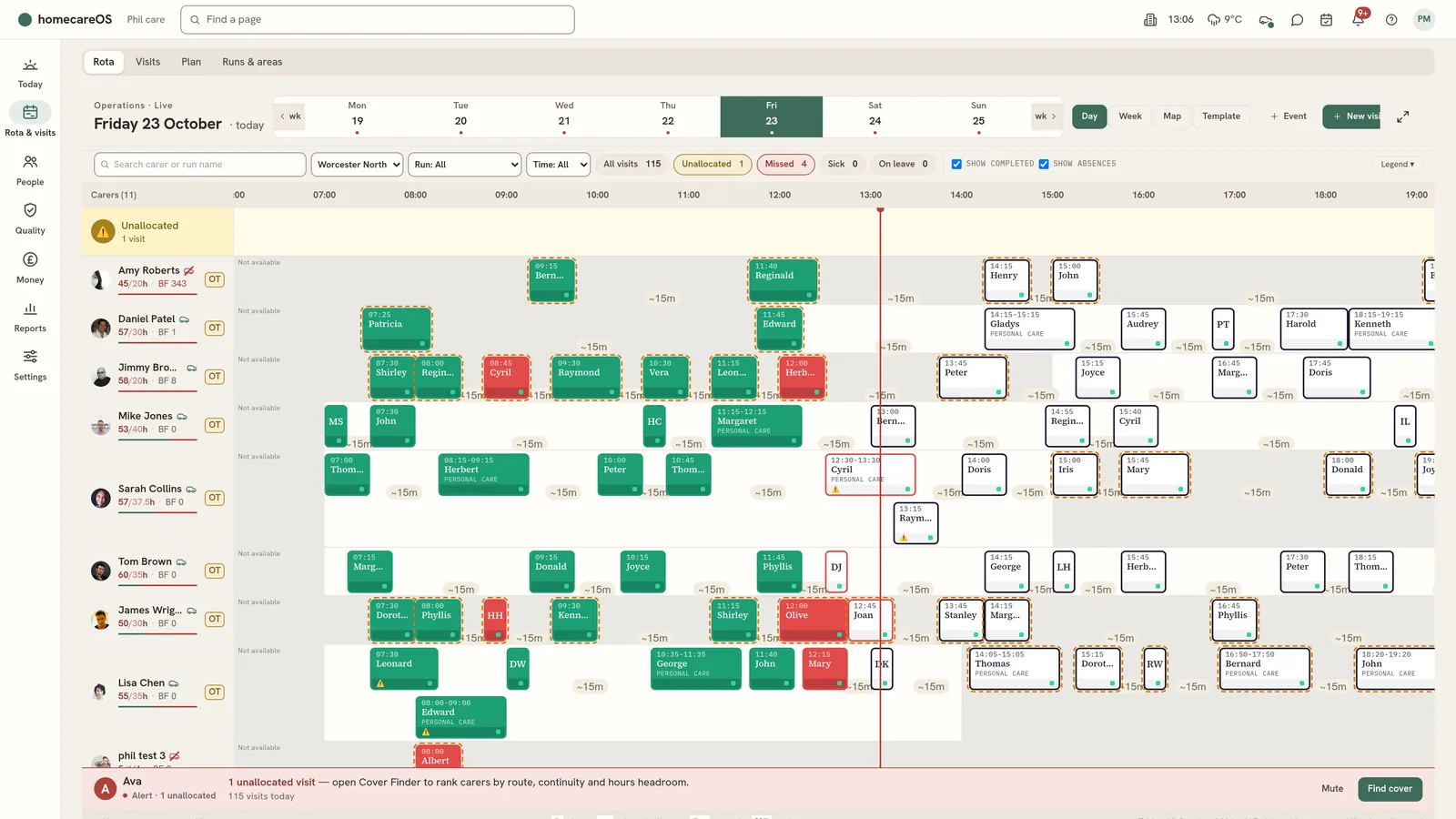
The day is one view: who is out, which visit still needs a carer, and where the hours are short. A visit with nobody on it sits in the unallocated row, so the gap is visible before it becomes a phone call.
Carers are sent changes to their next 36 hours, even with the app closed. The rota shows whether a visit is on their phone yet. Record someone off sick and the visits they were holding come off them automatically, onto the list that needs cover. You still choose who goes.
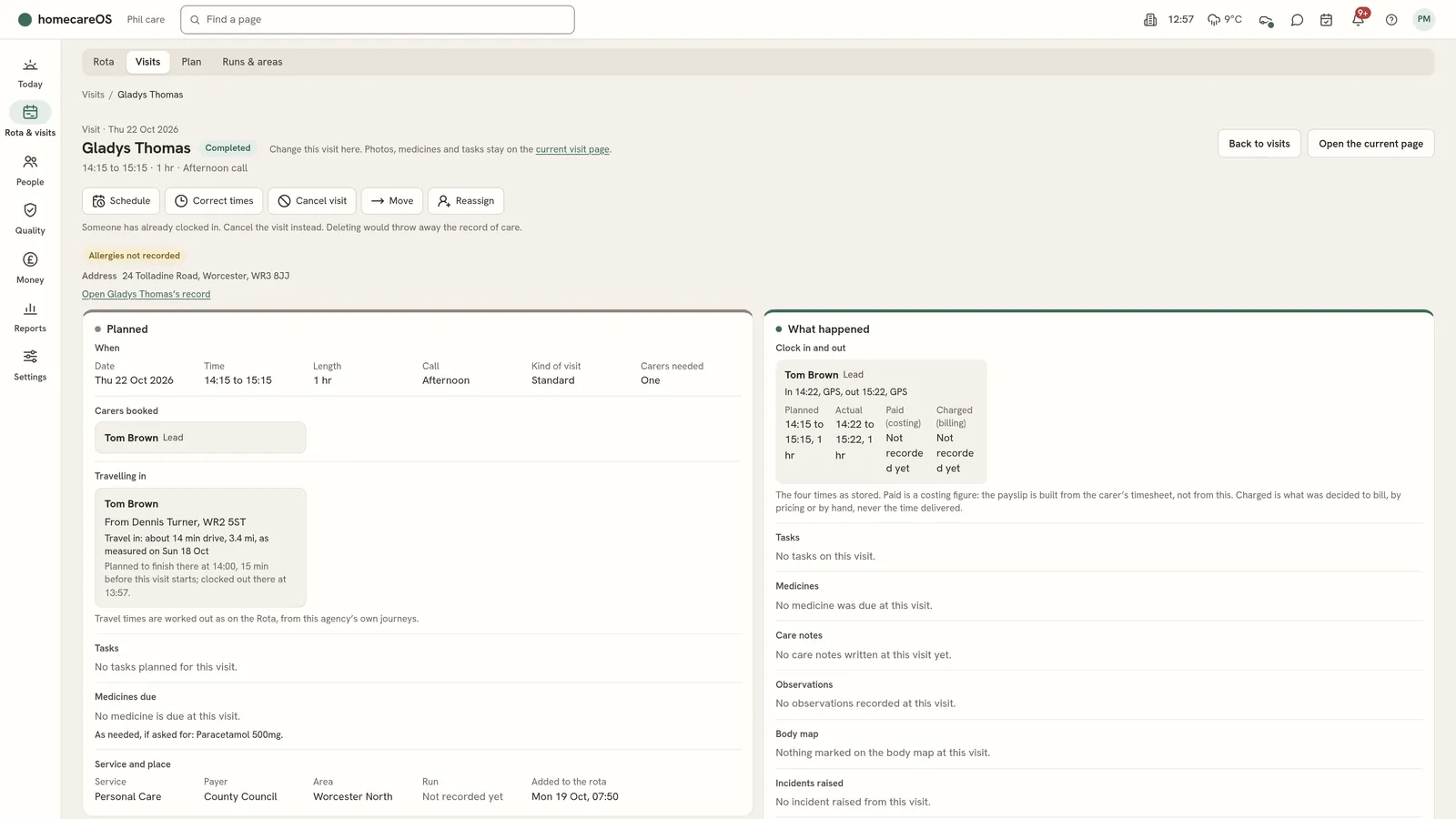
On the carer’s own iPhone or Android, the visit shows the tasks and the doses for that call, not a copy of the office screen. They clock in, complete or skip the tasks, and record the medicines. You can require tasks, medicines, a note or observations before clock-out, as a warning or as a reason they have to give.
Thirteen actions still work with no signal, and send themselves in order when a connection returns: clock in and out, tasks, medication, observations, body map, goals, notes, photos, incidents and handovers. Nobody has to remember to upload the morning.
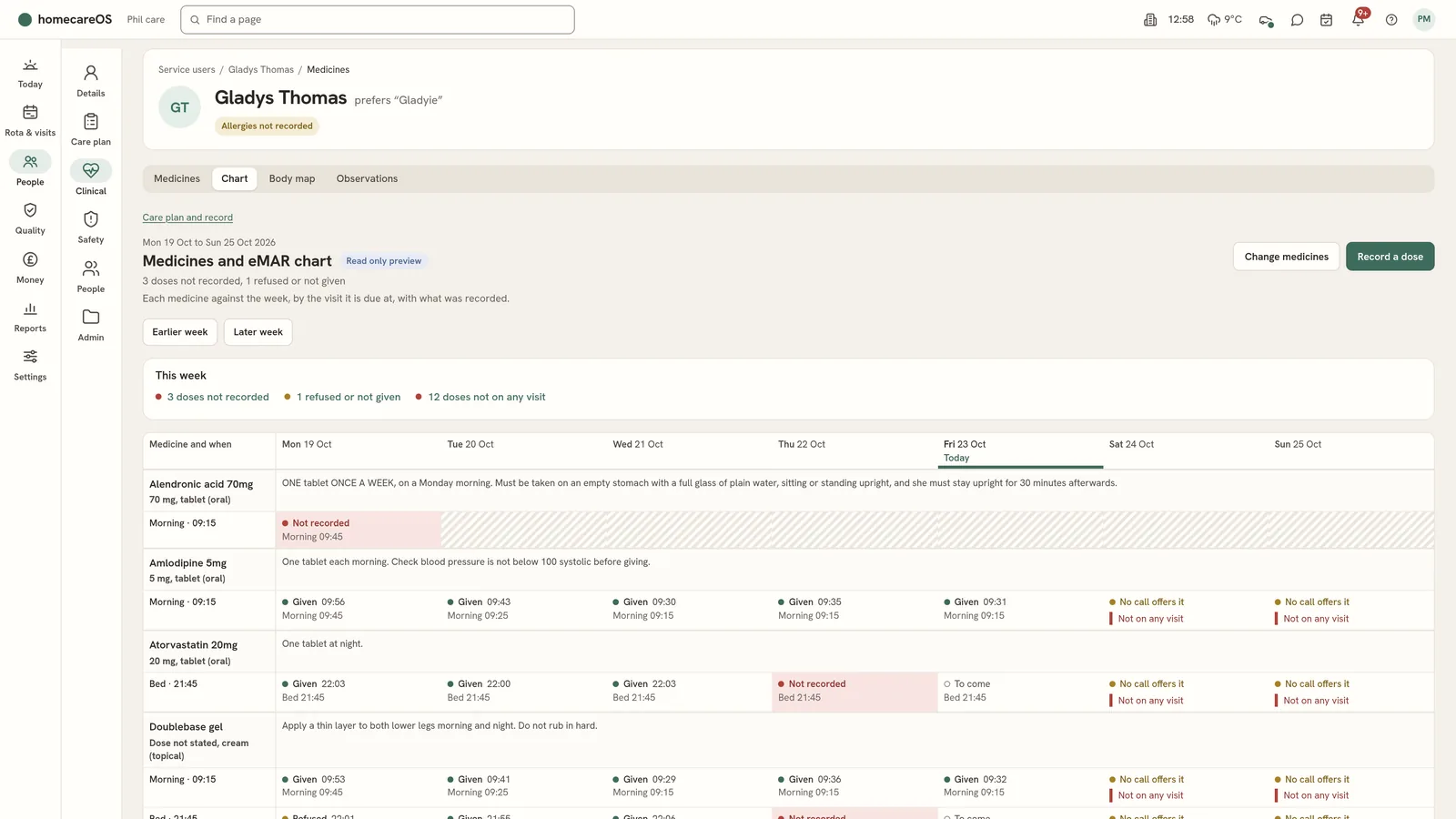
The carer sees the doses whose times fall inside the call they are on, with allergies on the same screen. A dose that could belong to two calls goes to the nearest one, so it is offered once. What they record, given, refused, not available and the rest, shows on the weekly chart the office reads, including a dose that was due and never recorded.
A saved entry stays. A correction needs a written reason, records who made it and when, and keeps the original. Recording works with no signal and syncs when the phone is back online.
A UK number your coordinators answer in the browser, at the office or at the kitchen table. Menus send callers to the right team. Set your office hours once and, outside them, the line switches itself to the on-call mobile you have set. An unanswered call comes back as a voicemail that is transcribed and waiting in the morning. Every call is logged in the same system as the rota and the care records: number, time, direction and duration.
The number, the menus, the out-of-hours divert, the voicemail transcript and the call log are live. Included in Pro. Call minutes and text messages are bought in bundles.
The worry is usually the move, not the software. We run it with you. The full account is on the switching page.
Before anything moves, we agree a written migration plan with you. You are not handed an importer and wished well.
Carers, service users, visits, care plans, training and background checks, as CSV. Ask your current provider early. Notice periods get eaten by export requests.
We map the fields. You look at exactly what will be created before anything is committed. If an import is wrong, it can be undone.
From the day we receive your exports, live carers, service users, care plans and the running rota are checked with you and ready to work from within 7 days.
Your current carers, current service users, their care plans and the running rota. Visits stay attached to the right person and the right carer. Background checks, training records and worker registrations for SCW, SSSC and NISCC come across too.
Care notes and medication history are not imported. They stay in your previous provider’s export, which is also how the retention duty is met. Historic records, if you want them inside HomecareOS, are quoted before any work starts and do not hold up the 7 days.
Telephone support and live training for your office team and your carers are available while you settle in. There is no pressure to give notice before you have talked it through.
Two 5-star reviews already published on Trustpilot, quoted as written. Read them on Trustpilot.
 5 out of 5 stars on Trustpilot
We’ve been really happy with the software and how it supports us in running our home care agency. It makes managing the day-to-day side of things much easier, and it’s reassuring to have a system we can rely on. We’ve had a positive experience overall and would definitely recommend them to other care providers!
5 out of 5 stars on Trustpilot
I must say homecare OS is one of the easiest applications to work with, everything is at your disposal, very user friendly and easy to manoeuvre around, from the recruitment side all the way to adding shifts, it’s an all rounder, everything has been simplified, it literally does all the work for you.
the other thing I love most about working with homecare OS is that anytime you need support you are assisted without hesitation or having to wait long periods, thanks to Phil and the team you guys are amazing.
We will show a task leaving the care plan, a rota change reaching a carer, and a dose landing on the chart. Bring the awkward questions. There is no obligation, and no pressure to give notice first.
All features Switching and migration Care planning Rota Carer app eMAR Phone system