Carer payroll and minimum wage checks
Pay carers right first time, from the times they actually worked. Pay is kept separate from what you bill, so a commissioner rate change can never quietly move anybody’s wages.
Pay That Starts From the Visit
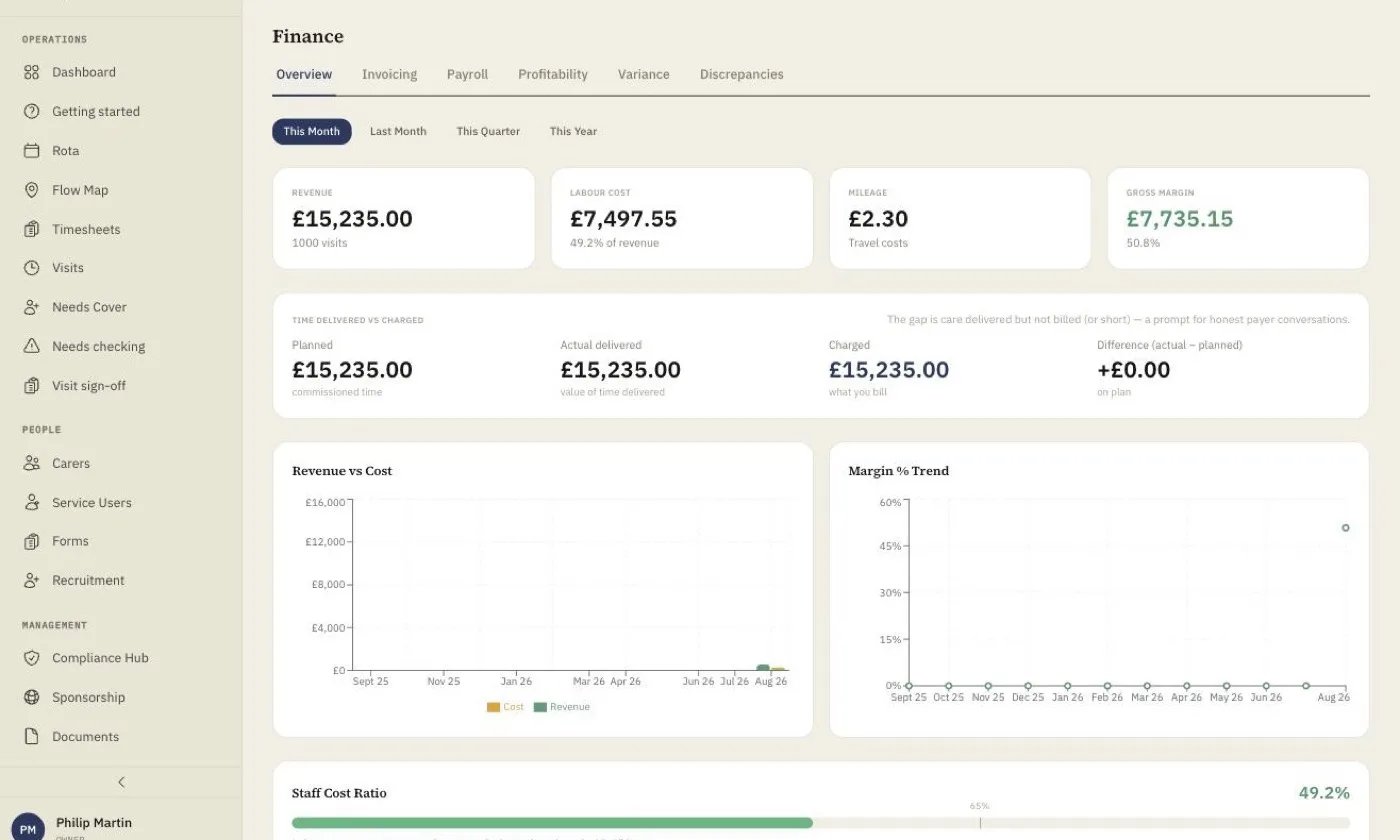
Home care payroll goes wrong when it starts from the rota rather than from what happened. In homecareOS each visit carries four times: planned, actual, paid and charged. Paid time comes from the actual visit, pay rates follow a clear order from visit override to pay grade to base rate, and enhanced days and bank holidays sit on top. Visits that ran long beyond your tolerance are held for review before they are paid or billed.
What You Get
Paid From Actual Time
Paid time comes from the visit’s actual times, kept separate from planned and charged time, so what you pay and what you bill never get tangled.
Pay Grade Waterfall
Most specific wins: a visit override beats the pay grade rate, which beats the base rate. Enhanced days and bank holidays are set once in your calendar.
Mileage Measured for You
Travel between consecutive visits is measured by road distance and logged from the visits carers check into. Approved claims go straight into the pay run.
National Minimum Wage Check
Check each week whether every carer’s pay meets the statutory rate for their age band in that week, using the rates that applied at the time.
Time Checks Before Pay
Visits that ran beyond your tolerance are listed for review, so you choose what is paid and charged before the pay run goes out.
Payroll Exports
Export the pay run for Sage, Xero or BrightPay, with timesheets and mileage already reconciled.
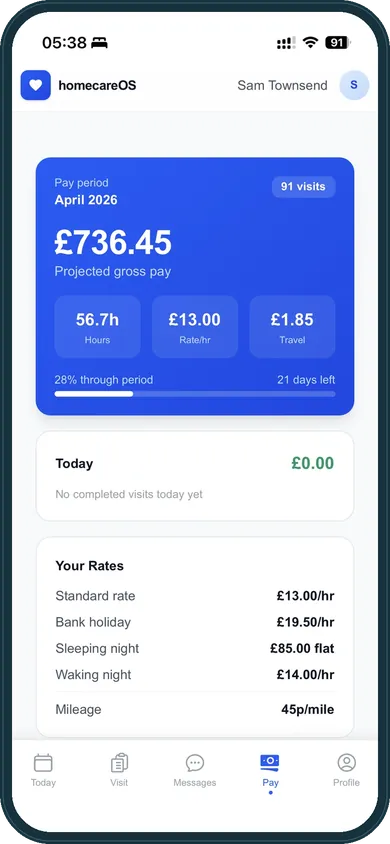
Carers can see what they have earned
The pay screen in the carer app shows projected gross pay for the period and how it breaks down, which cuts down the “why is my pay short?” calls on a Friday.
Included Today
Four times on every visit: planned, actual, paid and charged
Pay grades, base rates and visit overrides
Enhanced day and bank holiday rates
Mileage logged by road distance between visits
Mileage approval feeding the pay run
Weekly timesheets from actual visit times
Time checks for visits over tolerance
National Minimum Wage check by age band and week
Pay run generation
Exports for Sage, Xero and BrightPay
Carers see their projected pay in the app
Already-paid entries locked from change
Travel time in the minimum wage check, and timesheet history on the phone
Today the National Minimum Wage check covers contact time, and the screen says so plainly: travel between back-to-back visits normally counts as working time, so treat a pass as a first check. Adding travel time to the check, and showing carers their recent timesheet weeks with an estimated pay total, are both in development.
Carer Payroll: your questions answered
Related Features
Bring Your Last Pay Run to a 15-Minute Demo
Tell us how you pay today and we will show you the same week in homecareOS. Free for your first 5 carers, with no setup fee and no minimum contract.
Compare homecareOS to your current software
See how we stack up against every major UK home care platform, feature by feature, transparent pricing, no fluff.