Missed and late visit alerts for home care
A missed call is the one thing a home care agency cannot afford. homecareOS flags a late visit, then a missed one, the moment it happens, and gives your coordinators a short list of what needs cover now.
Find Out in Minutes, Not From the Family
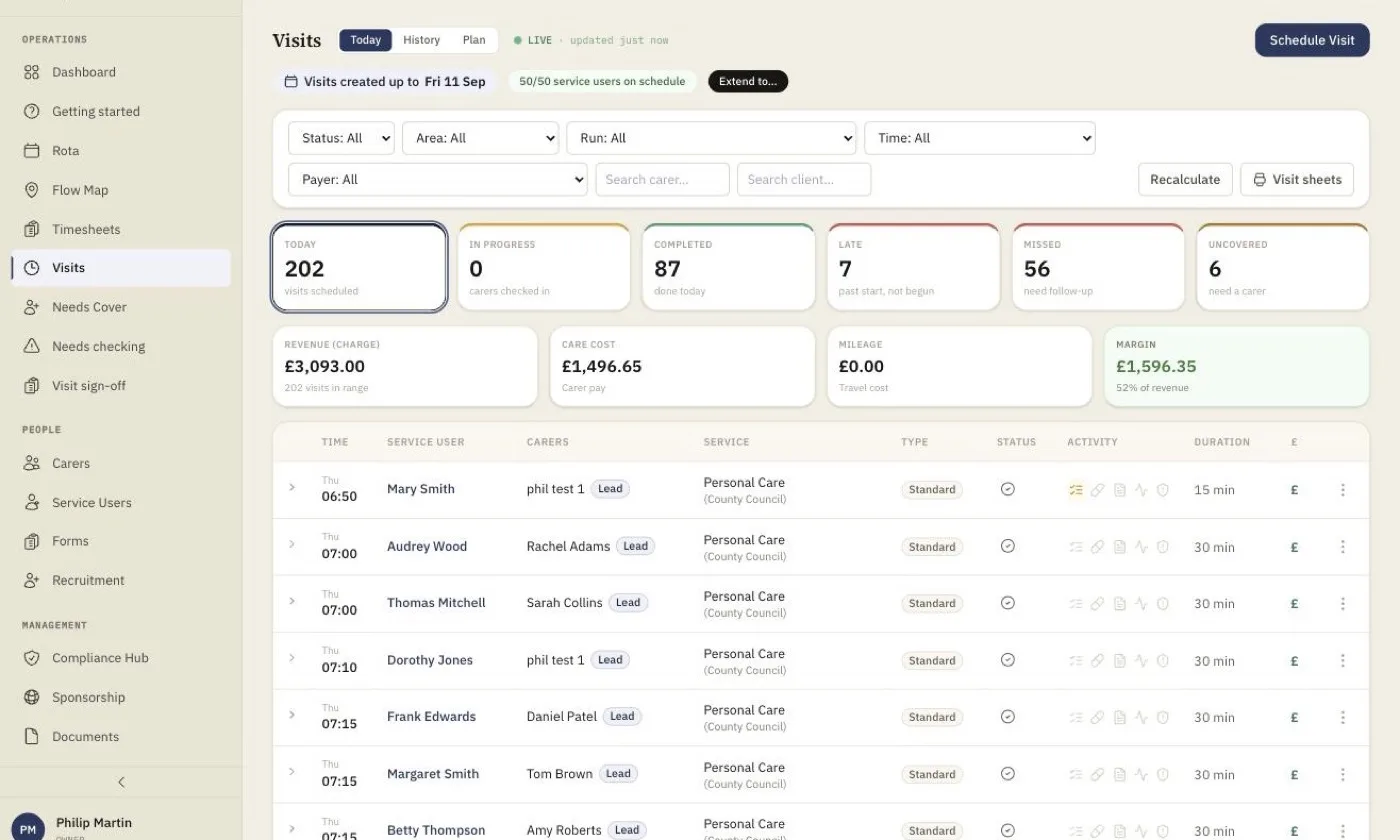
The worst way to learn about a missed visit is a phone call from a daughter at teatime. In homecareOS a visit with no clock in is marked late after a set number of minutes and missed after a longer one, and the office is alerted the moment its status changes. You choose both thresholds for your agency, so long visits or carers who log attendance late do not set off false alarms.
What You Get
Your Late and Missed Lines
Set how many minutes past the start a visit counts as late and as missed. The defaults are 15 and 45 minutes, and every agency can change them.
Alerted as It Happens
When a visit turns missed, an alert lands in the office bell straight away for the coordinators and managers who need it.
Needs Cover in One List
Visits with no carer, or released by sickness or leave, go onto one needs-cover list, so nothing sits quietly unallocated.
Only Carers Who Are Free
The cover list does not offer carers who are already booked at that time, so the first suggestion is a real one.
Exceptions Before They Bite
A visit exceptions screen shows records that could not be verified and medicines no visit covers, so you fix gaps before they become missed care.
Patterns You Can Evidence
Clock-in and visit completeness reports show late and missed visits over time, for your own reviews and for commissioners.
Included Today
Per-agency late and missed thresholds
Missed visits flagged automatically during the working day
Office bell alerts for coordinators and managers
Needs-cover list for unallocated visits
Sickness and leave release visits to needs cover
Cover suggestions exclude carers already booked
Visit exceptions screen
GPS, NFC and QR clock in checked against the address
Clock-in report
Visit completeness report
Commissioner portal visit view
Works with offline clock in from the carer app
Push alerts to an office phone or tablet, and the new Today screen
Office alerts sent as notifications to a phone or tablet even when homecareOS is closed, showing only the kind of alert on the lock screen and never a client’s name. And a new Today screen with a “Needs you now” list that puts late and missed visits, with a call button for the carer, at the top of the office’s day. Both are rolling out and are not yet switched on for every agency.
Missed Visit Alerts: your questions answered
Related Features
See How Fast You Would Know
In 15 minutes we will show you a missed visit appearing in the office and how cover is found. Free for your first 5 carers, with no setup fee and no minimum contract.
Compare homecareOS to your current software
See how we stack up against every major UK home care platform, feature by feature, transparent pricing, no fluff.